
El right-sizing autónomo mejora la resiliencia y mantiene tus servicios críticos rápidos y disponibles.

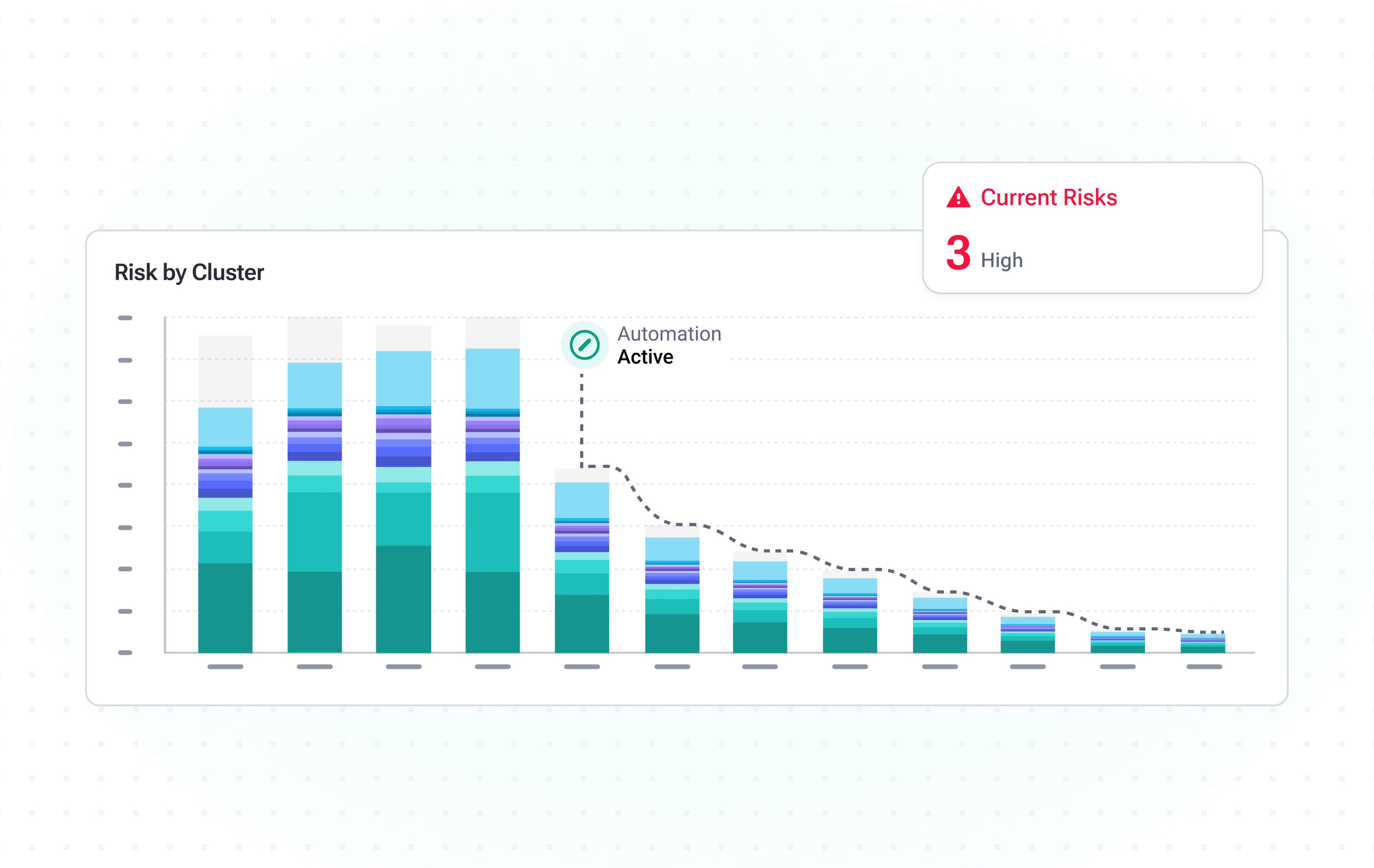
Remediación automática de problemas
Maximiza el tiempo de actividad y elimina la latencia identificando y corrigiendo al instante los riesgos de resiliencia, para ofrecer un servicio de excelencia constante.
- Previene errores de configuración: sin CPU Request, sin Memory Request, sin Memory Limits, etc.
- Evita el subaprovisionamiento de recursos: OOM, CPU Throttling, evictions, etc.
- Elimina errores de código y de configuración de autoscaling: sospecha de memory leak, réplicas al máximo, etc.
Fortalecimiento de la infraestructura
Obtén visibilidad integral de tus nodos para detectar de forma proactiva configuraciones incorrectas que podrían dañar tu infraestructura.
- Previene el over-commitment de nodos: asegura nodos estables y evita evictions con recomendaciones precisas de límites de memoria.
- Garantiza node affinities y taints correctos: detecta rápidamente configuraciones erróneas analizando los patrones de scheduling de los workloads entre grupos de nodos.
- Elige los nodos óptimos: alinea los recursos con la demanda de tus workloads eligiendo los tipos de nodo más adecuados para tus pods.
Priorización basada en impacto
Garantiza la consistencia del servicio enfocándote en resolver los problemas críticos en tiempo real con priorización automática avanzada.
- Alinea las alertas con tus SLA/SLO: personaliza las alertas para mantener tu servicio dentro de los niveles objetivo.
- Recibe notificaciones al instante: mantente al tanto conectando tu canal de comunicación preferido, como Slack, MS Teams o DataDog Alerts.
- Escala siguiendo tu flujo de trabajo establecido: asegura que cada problema se gestione correctamente creando un ticket con un solo clic.
Capacidades de la plataforma y riesgos detectados
Tabla de funcionalidades
Detección y priorización de problemas en tiempo real
Detecta y clasifica los problemas en cuanto ocurren.
Resoluciones recomendadas
Recibe recomendaciones de corrección claras y accionables.
Remediación autónoma
Aplica correcciones automáticamente, sin pasos manuales.
Integraciones de alertas y ticketing
Conecta Slack, MS Teams, DataDog y herramientas de ticketing.
Evictions
Detecta evictions de pods antes de que afecten a los usuarios.
Out of Memory
Identifica eventos OOM y sus causas de fondo.
Sospecha de memory leak
Identifica workloads con patrones de fuga de memoria.
CPU Throttling
Muestra los workloads con throttling que afectan el rendimiento.
Reinicios de pods
Monitorea patrones de reinicio y sus causas raíz.
HPA en réplicas máximas
Detecta autoscalers que alcanzan su tope.
Memoria subaprovisionada
Encuentra workloads con requests y limits de memoria insuficientes.
CPU subaprovisionada
Encuentra workloads con requests y limits de CPU insuficientes.
Memoria sin configurar
Detecta workloads sin request ni limit de memoria.
CPU sin configurar
Detecta workloads sin request ni limit de CPU.
Frequently asked
questions
¿Qué es el rendimiento de Kubernetes?
El rendimiento de Kubernetes indica qué tan confiable y resiliente es la ejecución de workloads en los clústeres. Se mide por la disponibilidad, el tiempo de actividad continuo y la estabilidad tanto en la operación habitual como durante picos de tráfico, garantizando que las aplicaciones cumplan sus niveles de servicio declarados.
¿Cómo mejoro rápido el rendimiento de Kubernetes?
Para mejorar el rendimiento de forma rápida y eficiente, primero hay que identificar los problemas más urgentes. Aplicar right-sizing a los pods y atender riesgos como el CPU throttling elevado, la presión de memoria, etc., puede dar resultados inmediatos y mejorar considerablemente la estabilidad del clúster.
Sin embargo, el rendimiento nunca es algo que se configura una vez y se olvida. Requiere optimización continua y ajustes proactivos para mantener los clústeres resilientes y confiables. Aquí es donde entra la automatización del escalado. Al configurar autoscaling horizontal, vertical o ambos, se ajustan los recursos de forma dinámica según la demanda real, garantizando que tus clústeres tengan recursos suficientes para rendir de manera continua.
¿Por qué se reinician los pods aunque los nodos se vean saludables?
Los reinicios de pods, incluso cuando los nodos se ven saludables, son un desafío común al gestionar clústeres de K8s. En la mayoría de los casos, el problema no está a nivel de nodo, sino del pod. Eventos de OOM u OOMKilled, CPU throttling, memory leaks o requests y limits mal calculados pueden provocar reinicios. Aun con capacidad disponible en los nodos, los workloads mal configurados pueden fallar aunque la infraestructura subyacente esté saludable. Al mismo tiempo, nodos saludables pero inadecuados también pueden causar inestabilidad si no se ajustan a los requisitos de los workloads (por ejemplo, instancias optimizadas para CPU ejecutando workloads intensivos en memoria).
PerfectScale ofrece un enfoque multidimensional para la optimización de K8s, que permite a los equipos optimizar cada capa de su entorno, desde el right-sizing de workloads hasta la selección de los nodos más adecuados para cada workload.
¿Cómo afecta el autoscaling al rendimiento?
El autoscaling ayuda a mantener el rendimiento de los clústeres ajustando los recursos en tiempo real según la demanda real. Cuando se configura correctamente, mantiene la disponibilidad y la estabilidad tanto en la operación habitual como durante picos de tráfico. Los cluster autoscalers como Karpenter escalan los clústeres verticalmente ajustando los recursos de los nodos según la demanda, garantizando que haya recursos suficientes para rendir. Soluciones como HPA o KEDA escalan horizontalmente ajustando de forma automática el número de réplicas de pods, manteniendo la utilización de recursos dentro de umbrales definidos y evitando el subaprovisionamiento.
PerfectScale afina las configuraciones para asegurar disparadores de escalado precisos y maximizar la eficiencia del autoscaling.
¿Puedo prevenir el CPU throttling sin sobreaprovisionar?
Con frecuencia, los equipos asumen que sobreaprovisionar recursos garantiza la estabilidad del clúster y elimina el CPU throttling. Sin embargo, agregar más CPU de la necesaria no previene el throttling si los requests y limits están mal configurados y, en algunos casos, puede afectar negativamente a los clústeres, causando problemas de scheduling que derivan en inestabilidad y caídas.
PerfectScale analiza continuamente los workloads de K8s y aplica right-sizing de forma autónoma a los requests y limits de CPU según la demanda real, reduciendo el riesgo de throttling y manteniendo el rendimiento al máximo nivel mientras se reduce el costo de la nube.
Reduce el costo de la nube sin sacrificar rendimiento
Instálalo en minutos y obtén insights de optimización autónoma.