
Announcement
This page is also available in Deutsch, Español, Français, Italiano, 日本語, and Português.
Unevictable pods recommendations in PerfectScale
Find and fix the configurations blocking node scale-down.
By Jacek Wysocki
·Shipped by
Your cluster autoscaler wants to remove underutilized nodes. Often it can't. A single pod with a restrictive PodDisruptionBudget, a do-not-evict annotation, local storage, or a missing controller reference pins the entire node in place. The node keeps running, mostly idle, and you keep paying for it.
These blockers are hard to find. They hide in workload manifests across dozens of namespaces, and autoscaler logs rarely tell you which pod is responsible or what it costs. Most teams discover them one at a time, usually while investigating why cluster costs stopped dropping after a rightsizing effort. Karpenter consolidation and Cluster Autoscaler scale-down both hit the same ceiling: they can only remove nodes that every pod agrees to leave.
What's new
PerfectScale now detects unevictable pods and tells you exactly how to fix them.
When PerfectScale finds a pod blocking node consolidation, it generates a YAML diff comparing the current configuration with the recommended change. Copy it with one click and apply it to your manifest.
Each recommendation includes:
- The exact configuration preventing eviction, with a clear explanation of the change
- A rank based on cost impact, so you fix the expensive blockers first
- A confidence level and a risk level, so you know what is safe to apply and what needs review
- A copy-ready YAML diff
Some blockers are intentional. A stateful database pod with a strict PDB might be exactly what you want. Click Mute for Workload and PerfectScale hides that finding for all unevictable pods in the workload, in this scan and future ones. The Active and Muted tabs keep both lists visible, so nothing disappears silently.
Getting started
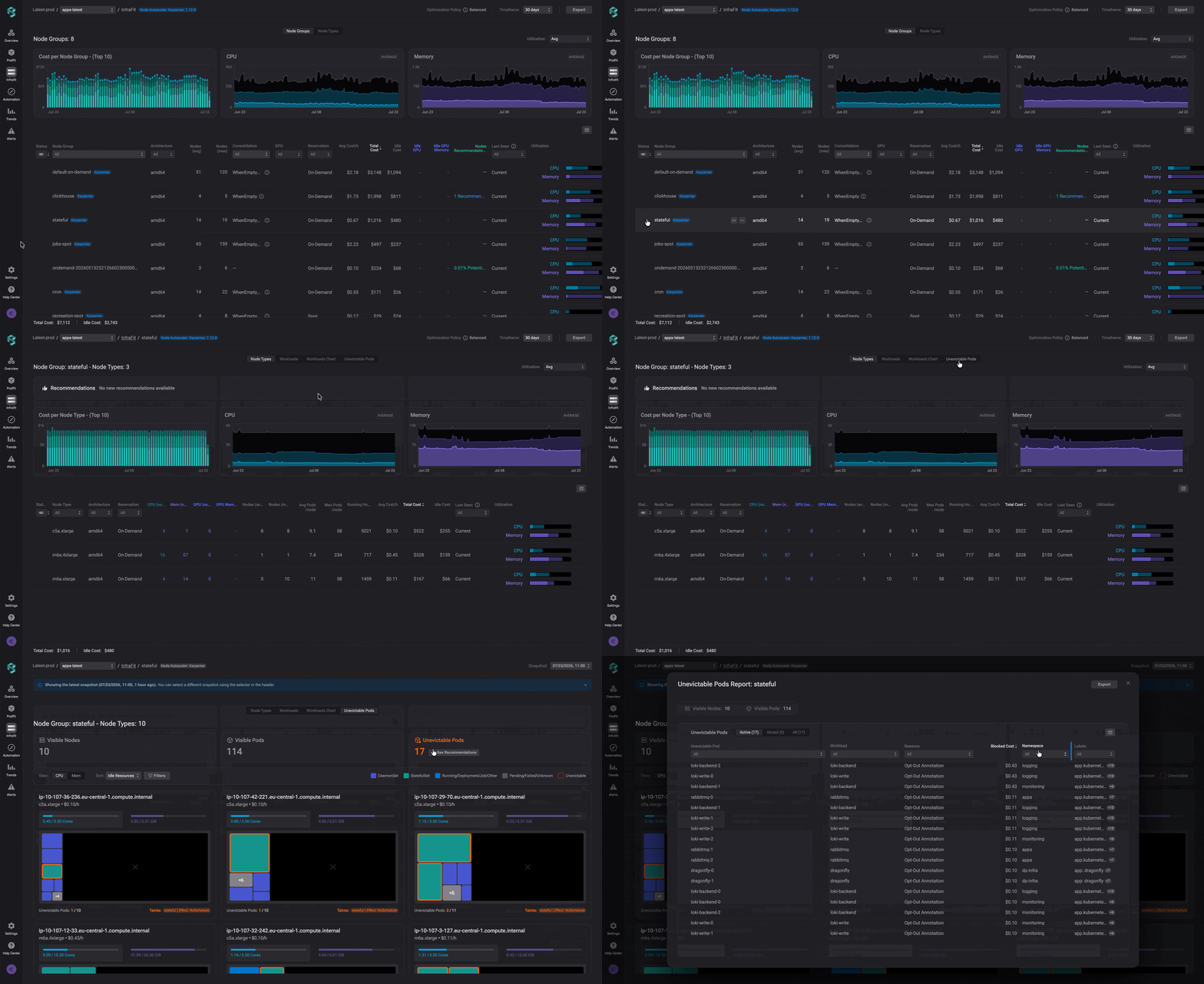
In InfraFit, open the relevant node group and switch to the Unevictable Pods view. Click See Recommendations or the Unevictable Pods widget.
The view itself gives you the context around each finding. Every node appears as a card with a pod treemap, and unevictable pods are outlined in red. Click any pod or node for full details: requests and limits, actual utilization, labels, and annotations. Filters narrow the view by taints, namespaces, or other criteria, and snapshots go back a month if you need to compare against an earlier state.