Announcement
This page is also available in Deutsch, Español, Français, Italiano, 日本語, and Português.
New navigation: find any feature or cluster faster
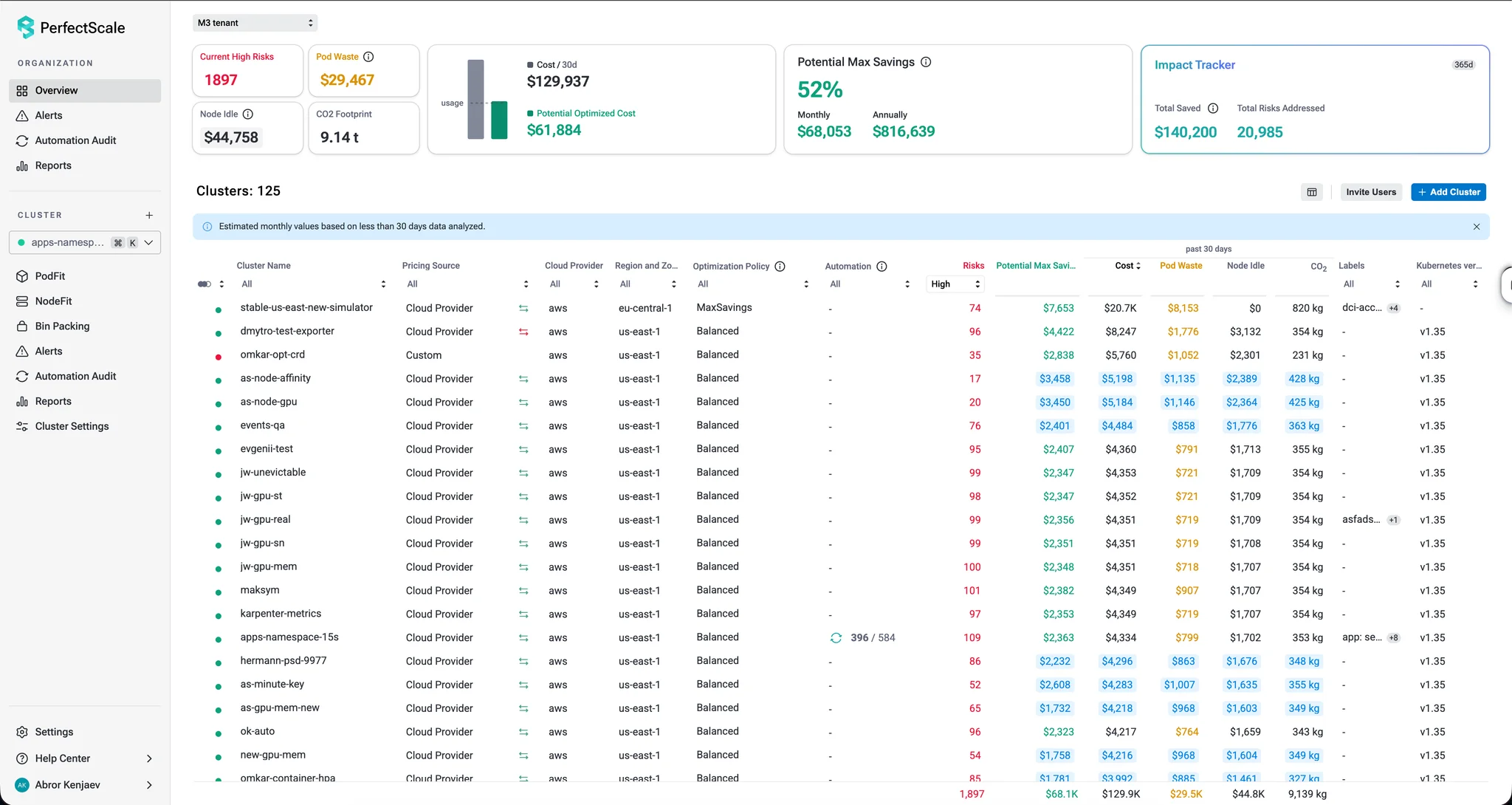
A clearer menu that shows the full PerfectScale feature set, with organization and cluster pages in separate sections and quick access to any cluster.
By Abror Kenjaev
·Shipped by
Eli, Mireya, Pavel, Abror, Andrei, Ira, Tania
We reworked the navigation so you can jump to any feature or cluster without digging through menus.
- Everything PerfectScale offers, at a glance: a wider menu with clear section titles shows the full feature set.
- Organization and cluster pages, separated: Overview, Alerts, Automation Audit and Reports cover the whole organization. PodFit, NodeFit, Alerts, Automation Audit and Reports cover the selected cluster.
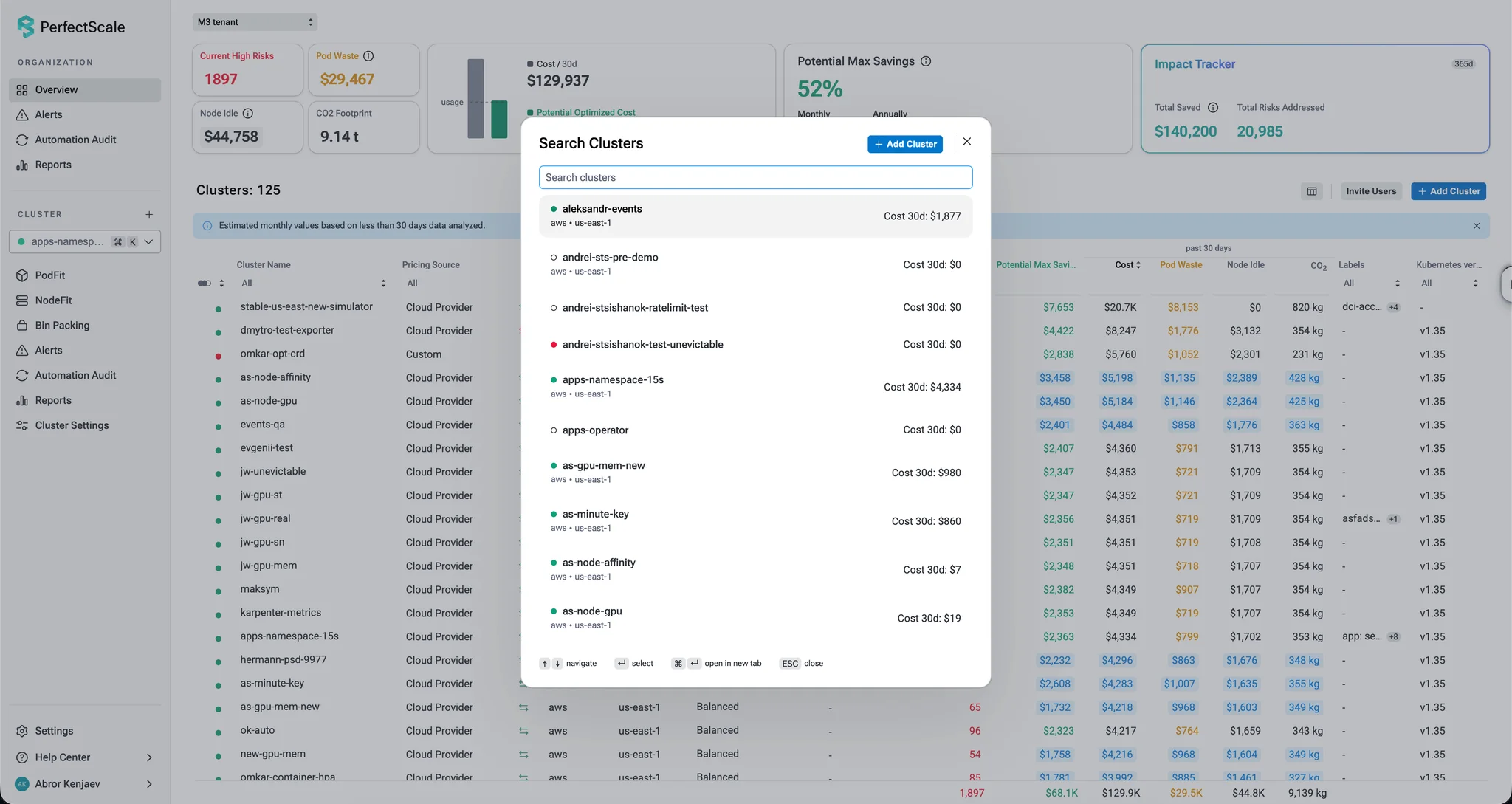
- Cluster context at all times: the selected cluster is always visible. A new cluster search, opened from the menu or with Cmd+K (Ctrl+K on Windows), lists every cluster with its status, cloud, region and 30-day cost.
- Two features renamed: Trends is now Reports, and InfraFit is now NodeFit. Same functionality, just clearer names.